1 · Add your income
Salary, freelance, side income. Paid on the 1st or the 15th, Spendot follows your pay cycle.
 Spendot
Get the app
Daily budget for iPhone
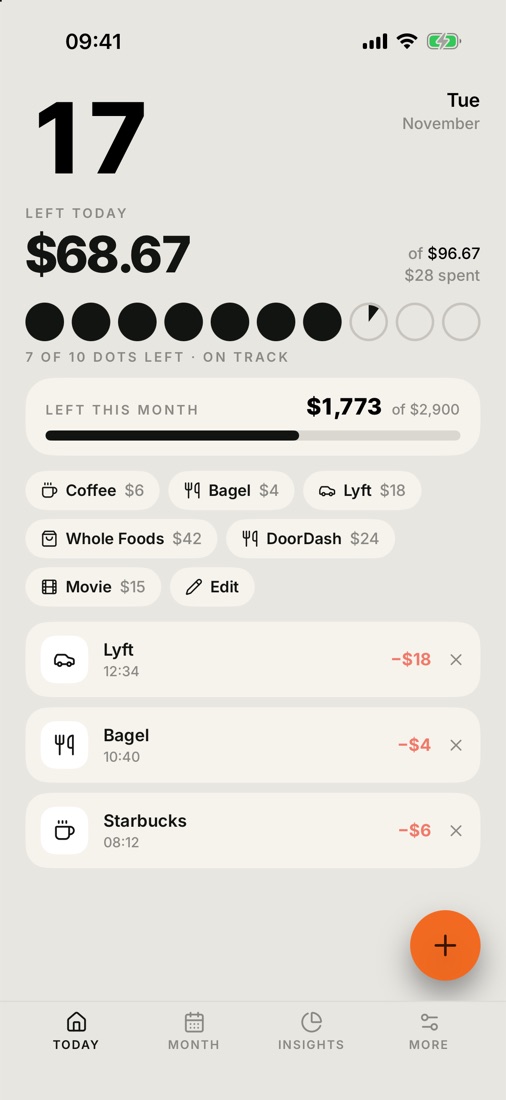
Spendot sets aside your rent, bills and savings, then splits what's left into one simple number for every day. Spend less and it rolls forward. Spend more and the days ahead quietly rebalance.
Left today
$68.67
7 of 10 dots left · on track
Most money apps want your bank password, or make you type every coffee. Spendot does neither.
How it works
Salary, freelance, side income. Paid on the 1st or the 15th, Spendot follows your pay cycle.
Rent, bills, subscriptions and savings come off the top, before you spend a cent.
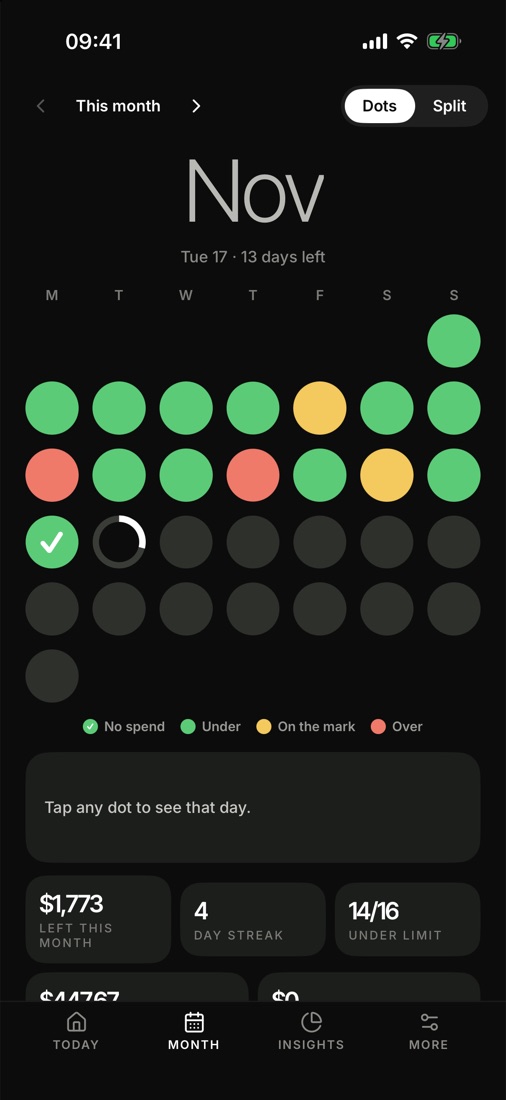
What's left is split across every day until payday. Each day is a dot. Keep it green.
Auto-detection
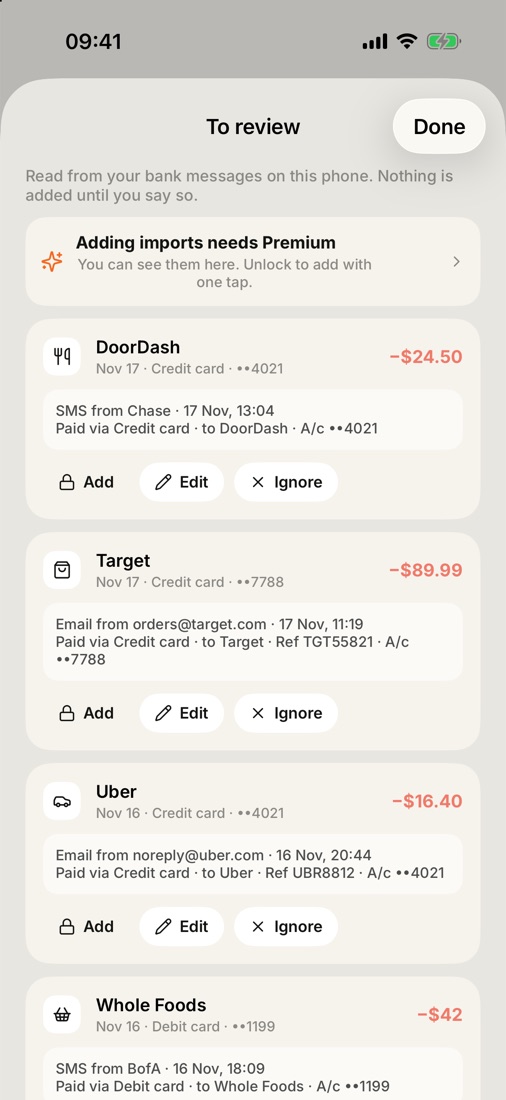
Bank alerts, card texts and email receipts are read right on your iPhone with Apple's Shortcuts app. Spendot finds the payment, the shop, the card and the time, and drops it in To review. Tap Apple Pay and it's logged before you leave the counter.
You made a $24.50 transaction with DOORDASH on card ending in 4021
Order receipt · Total $89.99 · Target · Visa ending 7788
Your one-time code is 482913. Do not share it.
Ignored · OTP$42.00 debit card purchase at WHOLE FOODS
Always in view
Built for everywhere
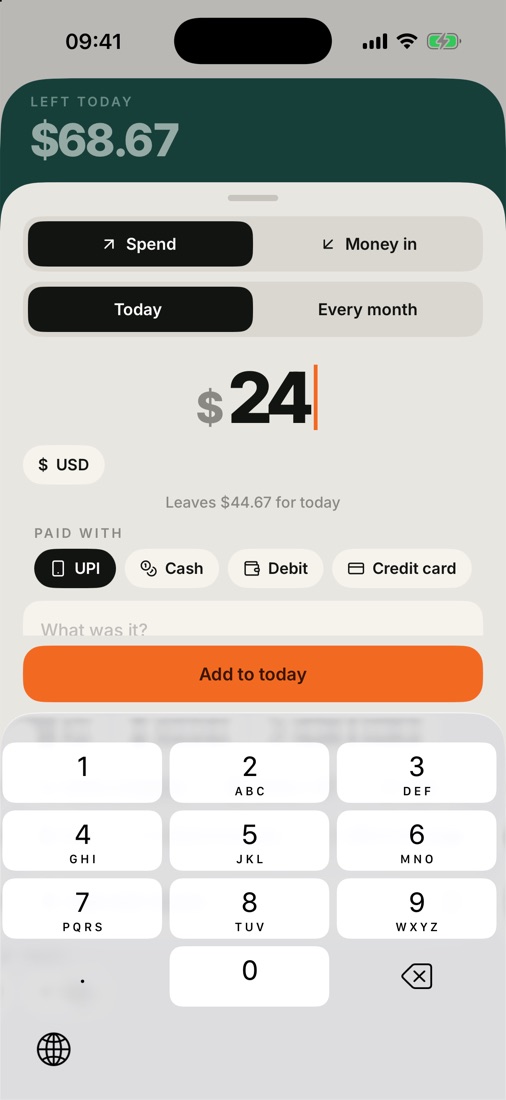
Set your home currency once: dollars, euros, pounds, rupees, yen and 150+ more. Paying abroad? Log it in the local currency and Spendot converts it with that day's rate, showing both.
Inside the app
45-second story
Why one daily number beats a monthly budget, and how every spend finds its day.
Save towards a trip or a phone, right from your daily money.
Dinner for four? Count only your share, track who owes you.
Linked to the original purchase, so that day gets cheaper.
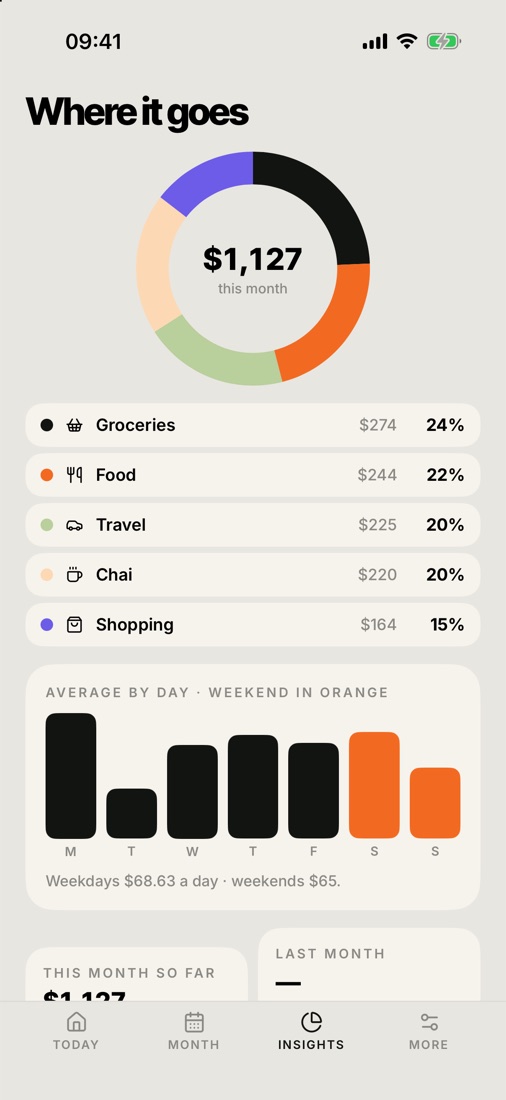
Categories, tags, weekdays vs weekends. No spreadsheets.
Your money stays private, even when your phone is unlocked.
Snap receipts. Export everything to CSV whenever you like.
No account. No servers. No ads. No tracking. Your data lives on your iPhone and nowhere else. We couldn't see it even if we wanted to.
Free
$2.99 one-time
No. Spendot never asks for bank logins. It reads the alerts your bank already sends you, on your phone, through Apple's Shortcuts app.
Any bank or card that sends transaction texts or emails, in the US, UK, Europe, India and beyond. Apple Pay works with every card in Wallet.
No. There is no Spendot server. The only network request is a currency rate lookup when you log a foreign-currency spend.
A new cycle starts. Your must-pays are set aside again and a fresh daily number begins.